
All children's families are notified of the options about PIC communicating and sharing PII with ASD, or not communicating and sharing information. The child's age at enrollment impacts choices and options regarding opt out. Providers will document their discussion at each step.
Enrolled Prior to 29 months:
Official notification to ASD of a child with special educational needs occurs no earlier than 27 months and no later than 29 months for children enrolled before 29 months. Famlies with children enrolled before 29 months are offered a 30 day window to consider if they would like to change their mind. Information automatically goes to the school at 30 months. Every parent is informed of their right to opt out of the school district notification--if the family chooses to move ahead with the school district referral, the provider completes the next steps (Transition Plan, ASD Release of Information and ASD invitation). Providers will need to support famlies in making a choice at or before 29 months-families are informed that they can change their mind up to 30 months.
Enrolled After 29 months:
Providers will complete the Initial IFSP to document the date that the opt-out discussion occurred with the family in the child’s RT and if families opt out they will also send the family an opt out form for signature. Families will need to make a choice at the Initial IFSP; information will be shared with school district upon their enrollment. If they opt out, they will need an opt out form signed and admin will inform adjust the notification in the State DB so information is not shared.
Note: Children who are close to 33 months at the time of enrollment are at particular risk for being missed for notification to the school district. A child who is referred after 33 months is in an exempt status, releasing the ASD from timeline obligations, and children are at risk of further late enrollment to Part B services.
If Parents Change Their Mind:
Prior to 30 months the family decides to OPT out and not have PII shared with ASD, the provider:
Completes FSC note + sends family Opt-out form.
Let the family know that the information will not be shared with ASD.
Admin follows up automatically as soon as they get the Opt-out form.
After 30-36 months the family decides to OPT out and not have PII shared with ASD, the provider:
- FSC note + Revoke ASD Disclosure form NEW!
- Let the family know that PHI went to ASD as originally requested, and the child’s name will be withdrawn from the process.
Admin follows up automatically as soon as they get the signed revocation form and let’s ASD know that the family has changed is no longer in the referral process.
*For this scenario, we do not use the Opt out form because opting out of disclosure is no longer possible--the sharing of information has occurred
Up to 33 months they decide they want information shared with ASD the provider completes:
FSC note + sends family an ROI for ASD,
If the child is under 33 months old: complete the invitation and briefing
Admin will complete initial notification to ASD
Provider
In RT Admin tab with all signature forms, choose the ASD Opt Out patient signature form/packet: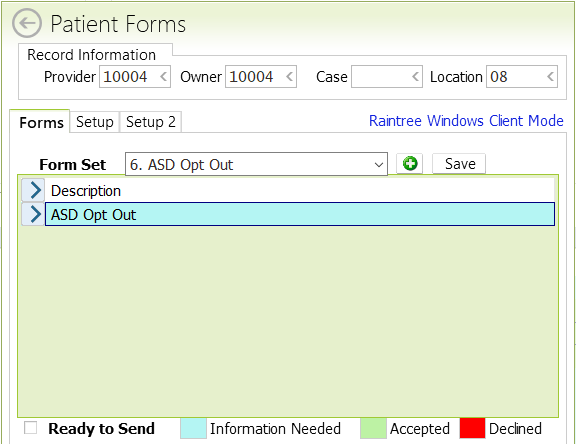
This is what it looks like to the parent:
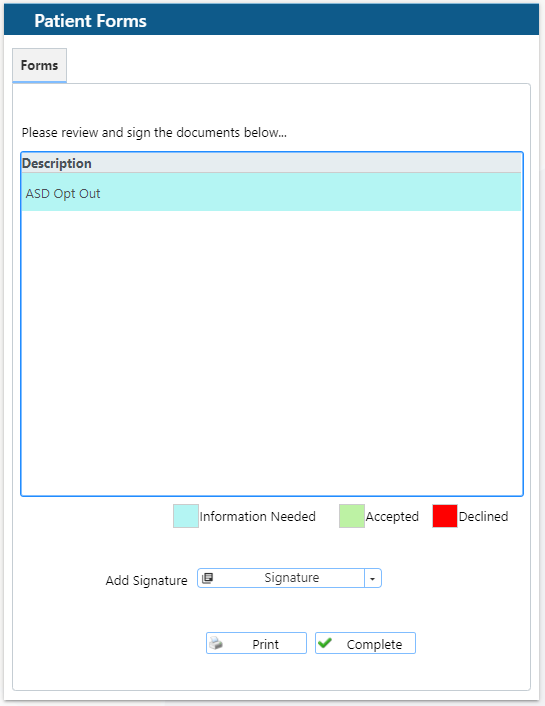
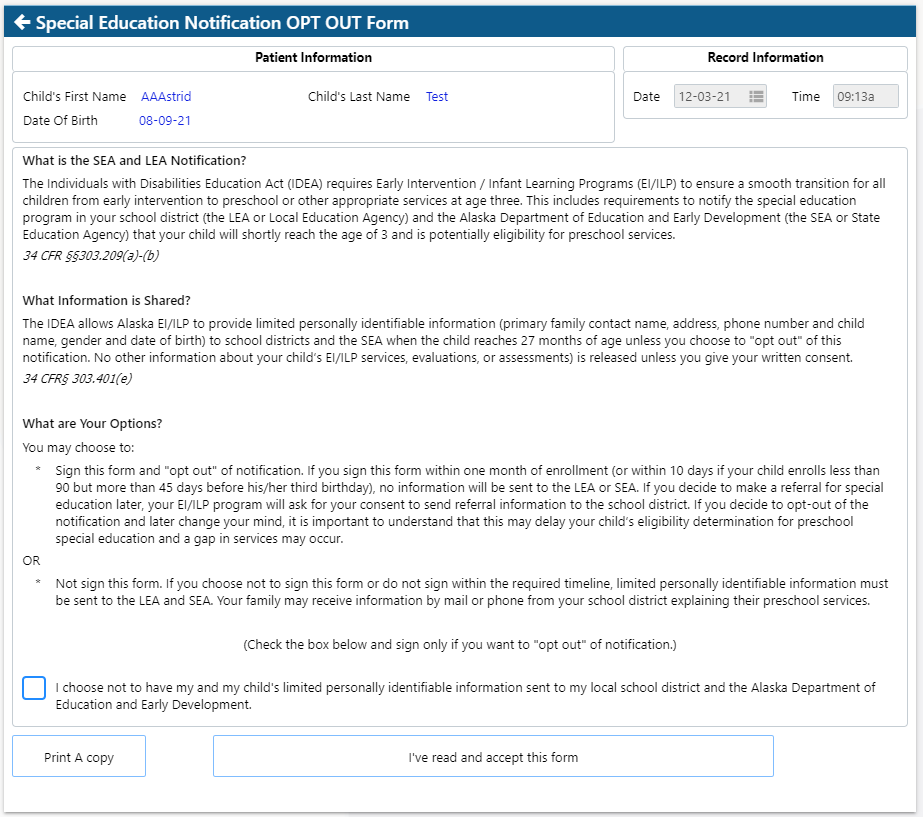
If the parent doesn’t check the box, a message will appear on the right corner of the screen ‘Required fields are missing’: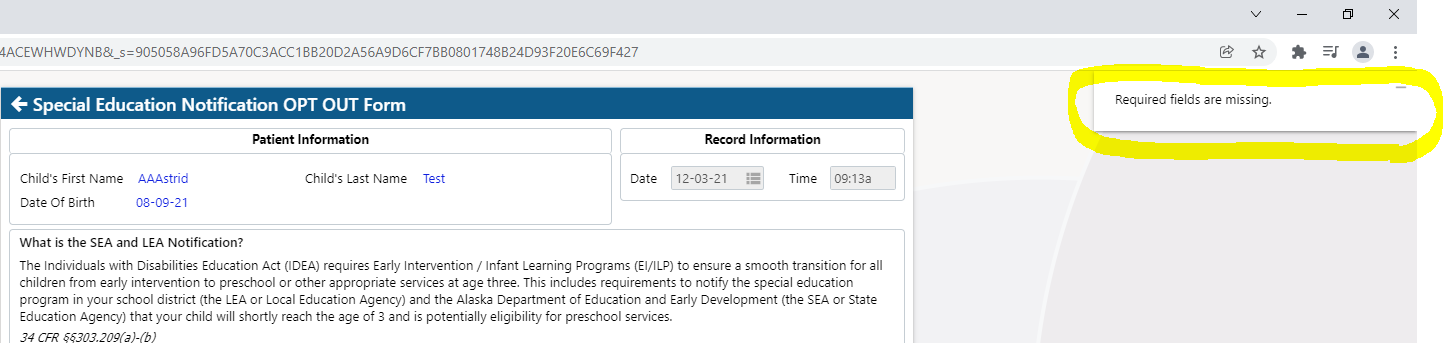
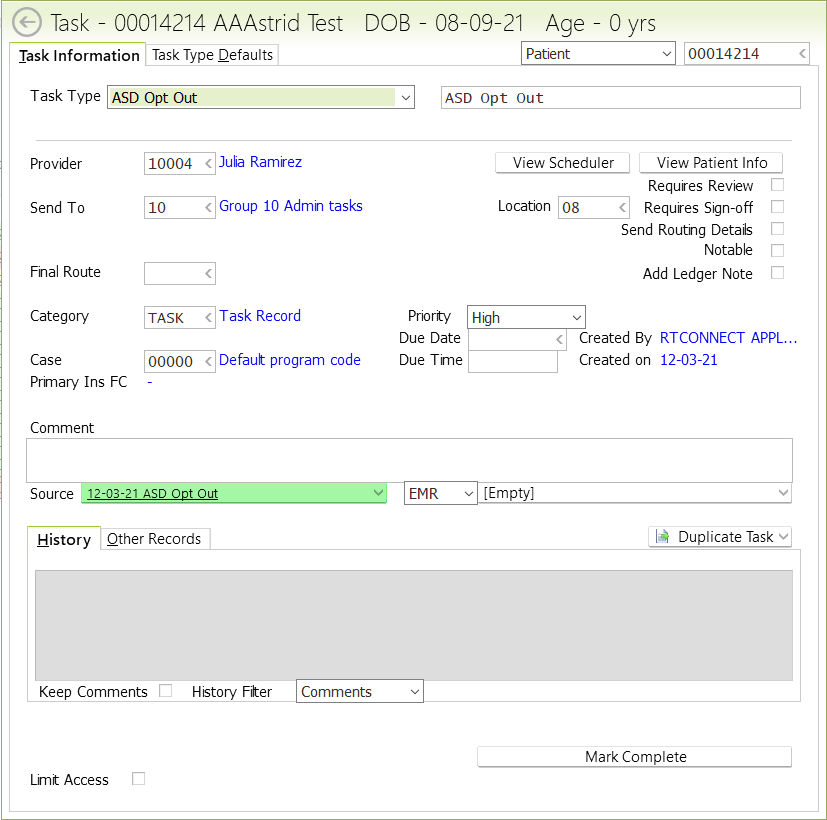
Then a Task is automatically created for the admin team and they will opt the child out in the state database:
Admin
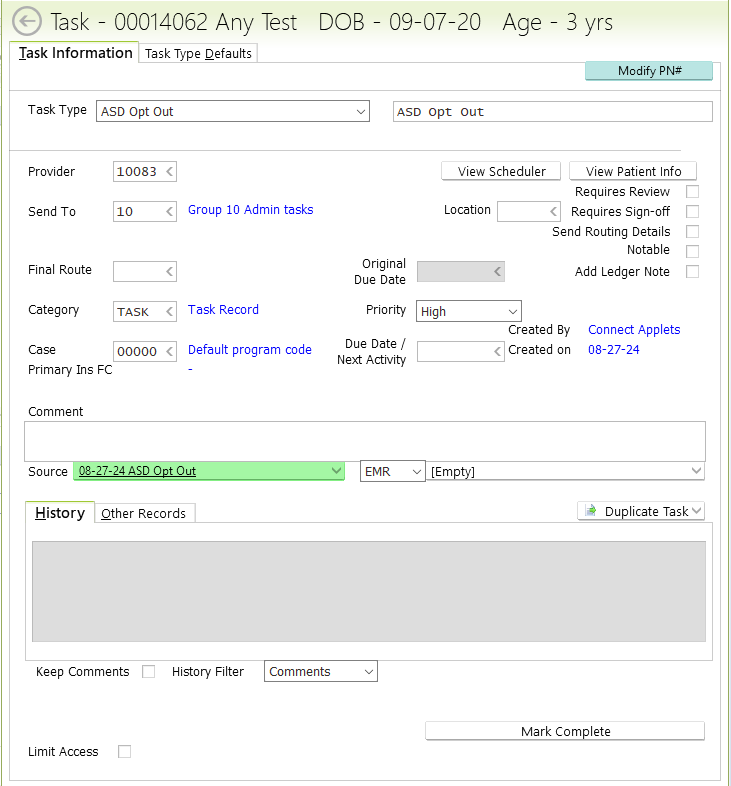
After a provider has discussed ASD Opt Out with a family, they will sign an ASD Opt
Out form. Once that form is signed, a task will automatically be generated to Group
10
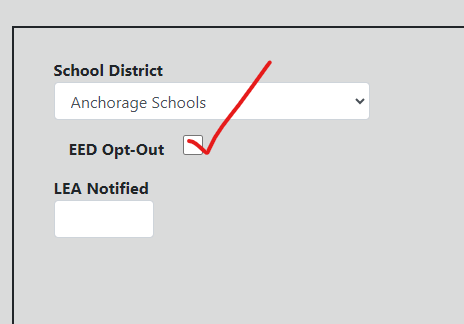
2. Go to that child’s State Database chart and under the Child tab, click Edit and
scroll down to the School District portion, then check the EED Opt Out box (shown
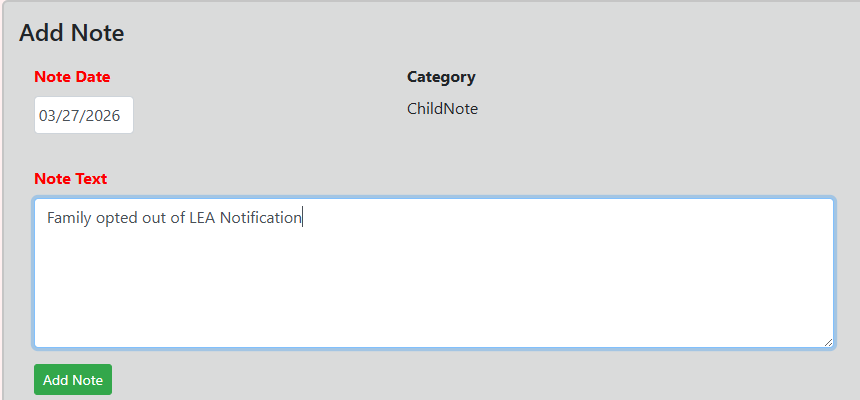
below). DO NOT ENTER A DATE in the LEA Notification box. Add a note at the bottom of the page with the date that EED Opt Out box was checked.
3. Once box is checked in the State Database, mark that task complete and make a
note of the opt out in our ongoing SDB task
ASD LEA Notification Report: /sites/default/files/program-guidelines/AdminProcedure-ASDLEANotificationReport.pdf
ASD Opt Out Automated Email Reminder: /sites/default/files/program-guidelines/AdminProcedure-AutomateASDOptOutEmailReminder.pdf