
- If a family declines services prior to the eligibility meeting and initial IFSP, providers exit the child In the Communication Log, using the category Exit/LTFU/WNL. By signing off on a comm log note, admin will get a auto-task and exit this child accordingly. Note: if the family is initiating the decline prior to the eligibility meeting, we do NOT need signature forms.
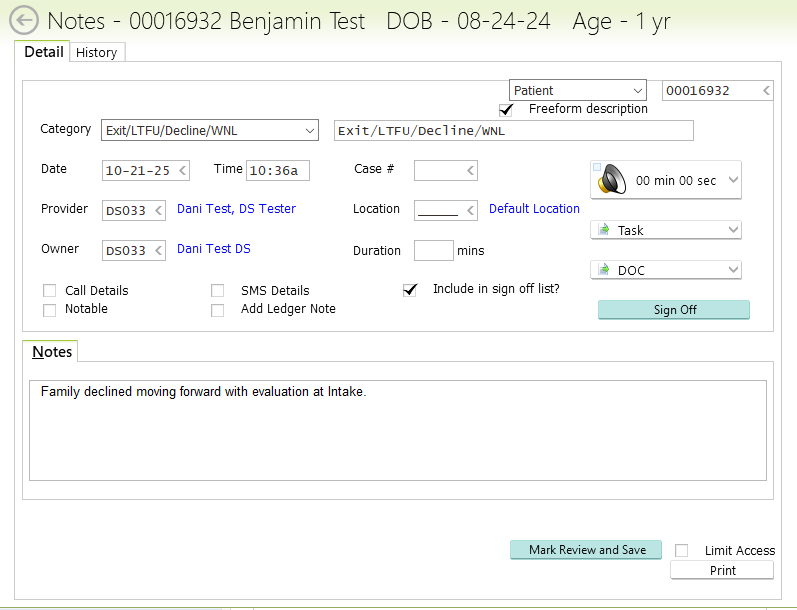
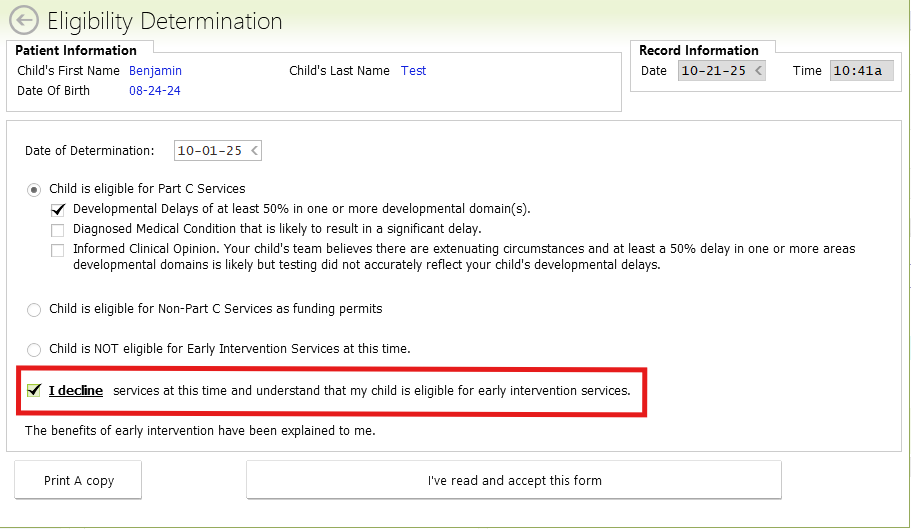
- If the family declines enrollment at the Eligibility Determination/Initial IFSP, then they will need to sign the Eligibility Determination and PWN signature forms. The family can decline services on the form even after the provider has sent the forms out.
Admin
- CHANGE STATUS TO “DECLINED” IN PATIENT DEMOGRAPHICS TAB
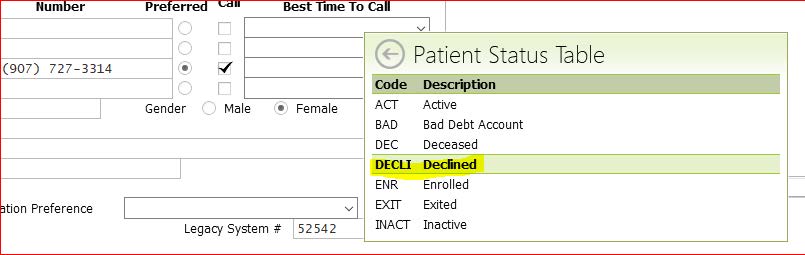
- IN PATIENT DEMOGRAPHICS TAB CHANGE CHILD’S STATUS DATE TO MATCH EXIT DATE FROM WHEN FAMILY DECLINED SERVICES
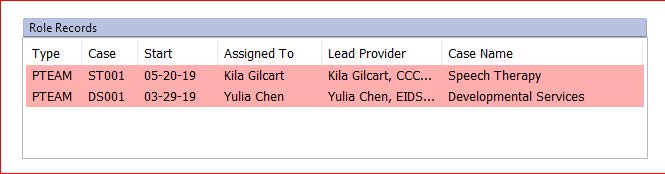
- IN “VISIT HISTORY” TAB CLOSE ROLE RECORD IF APPLICABLE WITH EXIT DATE
- IN “ADMIN” TAB CHECK THAT ALL PACKET SIGNATURES ARE COMPLETE. IF NOT SIGNED, FOLLOW UP WITH THE FAMILY, AFTER 3 ATTEMPTS, THEN ADD A COMM LOG NOTE WITH THE CATEGORY, "SIGNATURES NOT OBTAINED." THAT COMM LOG NOTE SENDS AN AUTOTASK TO THE ADMIN MANAGER FOR REVIEW AND CLOSE OUT AS APPROPRIATE.
- MAKE A NOTE OF EXIT REASON/EXIT DATE IN THE STATE DATABASE TASK
- IN “ADMIN” TAB SEND REFERRAL FEEDBACK FORM TO REFERRAL SOURCE TO LET THEM KNOW OF STATUS