
EXIT: DOES NOT QUALIFY/WITHIN NORMAL LIMITS
Once a child has had an initial evaluation and did not score to be eligible for PIC services, he or she needs exited.
Provider Procedure
Regardless of whether a child is eligible or not, we are required to meet with the family to review the evaluation report and formally discuss eligibility. The eligibility meeting does require the post evaluation paperwork, i.e. daily note and signature forms.
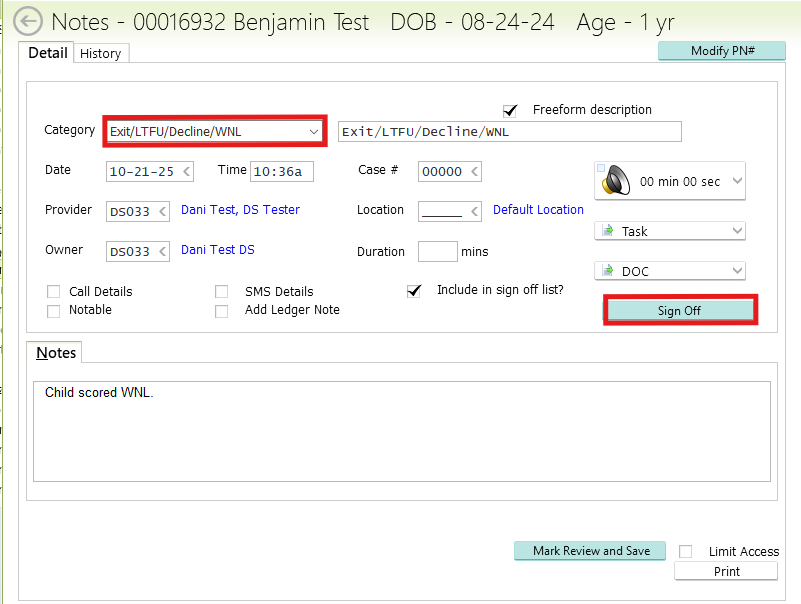
Create and sign off on a comm log note under the category "Exit/LTFU/Decline/WNL" with the date of the eligibility meeting with the family (or current date) and a note specifying that the child is within normal limits as the reason for exit.
Don't forget to sign off on your comm log note! Otherwise Admin will NOT get a task automatically.
Admin Procedure
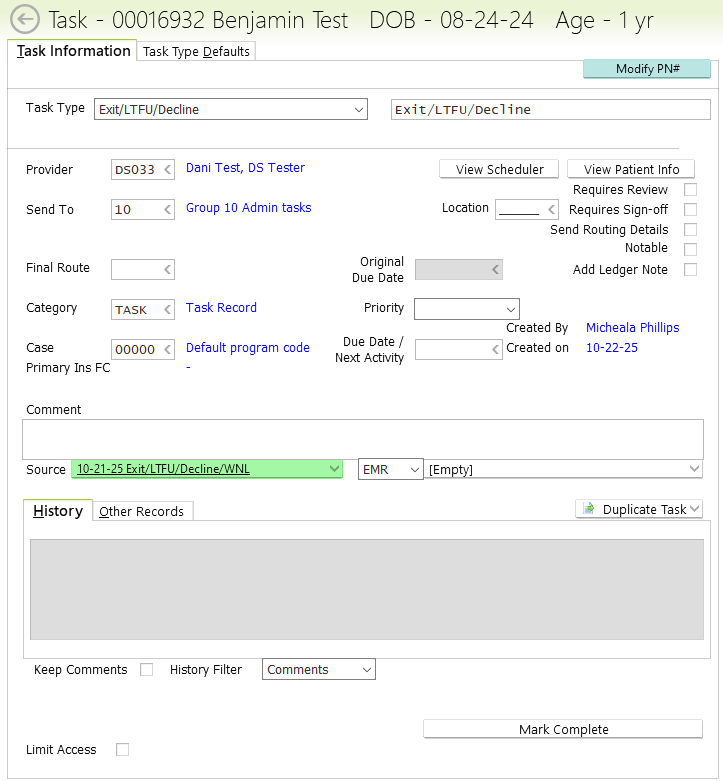
Once the provider has signed off on the communication log note with category of Exit/LTFU/Decline/WNL, Group 10 will get a task linked to the comm log note to specify the reason.
- CHANGE STATUS TO “NORMAL” IN PATIENT DEMOGRAPHICS TAB
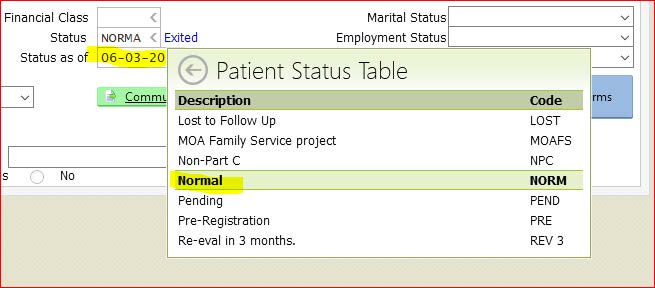
- IN PATIENT DEMOGRAPHICS TAB ALSO CHANGE STATUS DATE TO LAST DAY OF SERVICE AS EXIT DATE
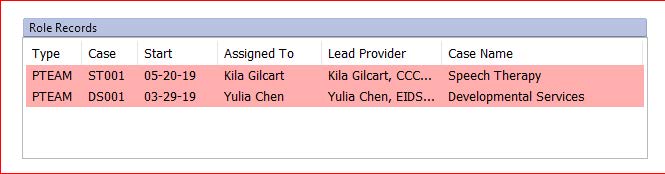
- CLOSE ROLE RECORDS and ANY OPEN CASES
- CHECK THAT ALL PACKET SIGNATURES ARE COMPLETE:
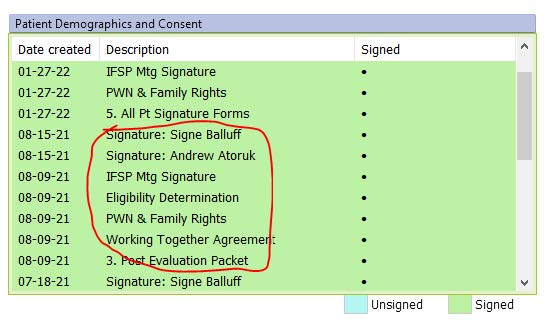
- IF A CHILD IS FOUND “WITHIN NORMAL LIMITS” THE ONLY TWO FORMS NECESSARY FROM THE POST EVAL PACKET ARE: PWN & ELIGIBILITY DETERMINATION
- MAKE A NOTE OF EXIT REASON/EXIT DATE IN THE STATE DATABASE TASK