
Pre-enrolled Child/Notification of Potential Discharge
A 10-day letter is a notice sent to families who are pre-enrolled and informs the family or case worker that:
- They were referred to PIC but we are unable to contact them to complete referral, intake, evaluation or enrollment.
- They will be discharged from the process if they do not contact PIC within 10 days of the date of the letter.
- They are encouraged to contact us in the future and before child’s 3rd birthday.
Providers or Referral staff:
- Verify that attempts to contact the family or case worker are in the communication log. Make at least 3 attempts across about 2 weeks to contact the family, and document
- In RainTree admin tab, initiate and review 10-day letter for address(es), content (Provider should edit this letter)—addresses need to be verified by provider for accuracy
- F10/Save letter: a task is auto-generated for Data Entry to print and mail out
- If at 10 days there is no further contact, the provider completes the exit process/documentation (see below)
Children who are in OCS custody: ensure the caseworker is informed that a 10-day letter has been sent
Admin will automatically get a task and send out the 10-day letter to the address listed on the letter. No further action is needed from the provider.
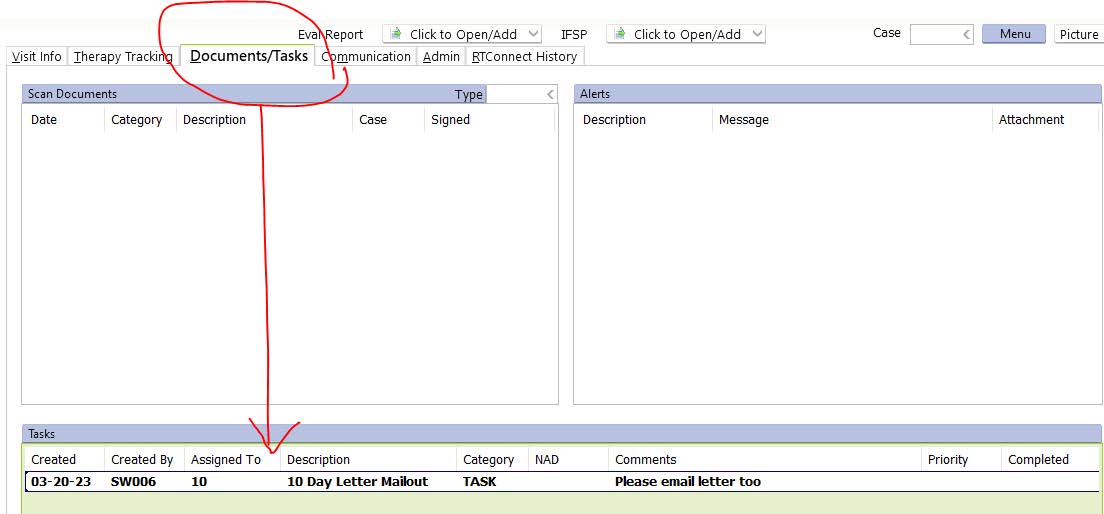
Providers Exit at 10 days:
Go to the Communication tab and select the Exit note from the dropdown: in the text box, use the global abbreviation 10DAY and the following will appear, edit the note
The family is being exited due to:
- declining services with this provider. They were encouraged to reengage if needed.
- being lost to follow up. This provider made several attempts to contact the family, see comm log. Family was encouraged to engage in early intervention services, and contact within 10 days of letter, and did not.
Sign off the note; it goes automatically to Admin. (Remember to edit!)
Providers will get a task/reminder sent to them to follow up on the 10-day. If the family exits, complete the exit process and mark complete. If the family reengages, put a quick comm log note in saying so, and mark the task complete. The task will be scheduled 10 days out from the 10-day.
- How to know when admin has completed and what date it was sent?
- Admin sends the task back to the provider (final route to themselves so that they can complete the task) with the due date out 10 days and a comment, “This task is coming back to you as a reminder of 10 days. Please exit the child via the comm log if no response from the family.” There is a note in the comm log specifying where the letter was sent and when.
Administrative Staff—How to print and mail letter:
A task will be delivered to Group 10
- Go to Group 10 tasks, open the automated task and print the 10-day letter
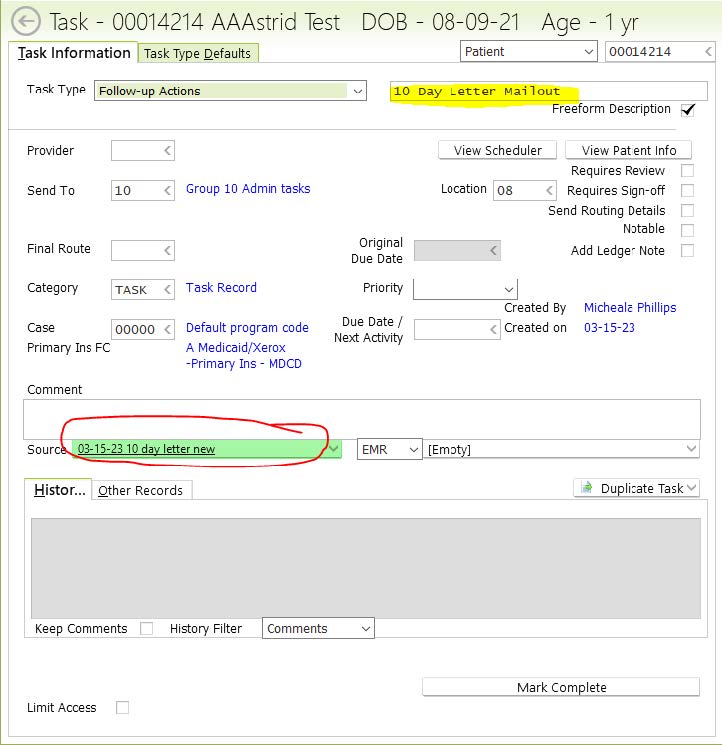
- A RT editable word document will pop up with letter.
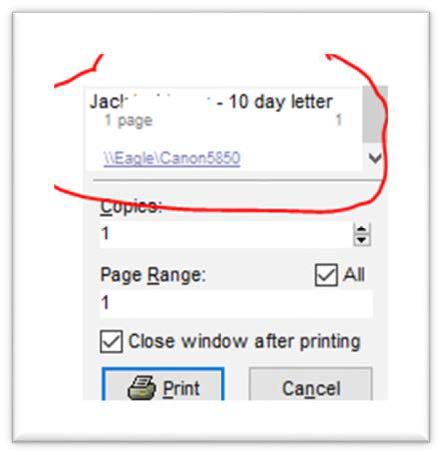
- Control P to print or click printer icon
- Left click on the //Eagle/Cannon 5850 to select the correct tray: Multi-purpose Tray
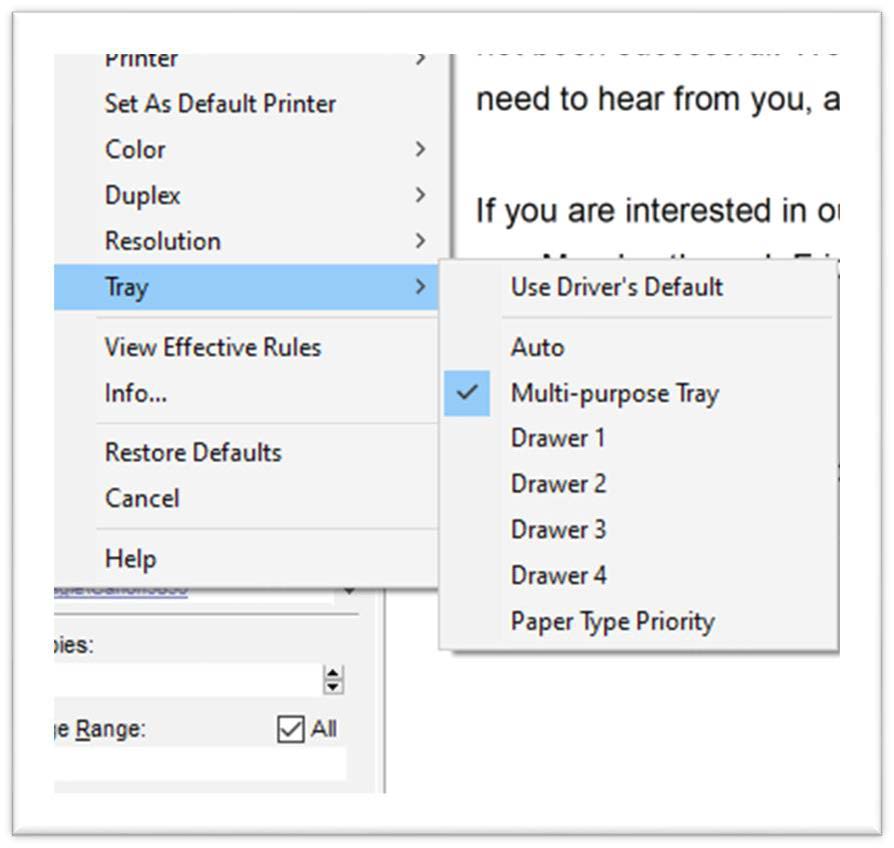
- Then, click “Print”
- Collect the printed letter, put in envelope and stamp with postage meter
- The default setting is for a 1st class letter so you can place it on the weigh tray if sending additional papers and you think the envelope might be heavier than typical.
- Enter Comm Log stating that letter has been mailed, and to whom at what address.
- For Provider generated letters: send the task back to the provider (final route to themselves so that they can complete the task) with the due date out 10 days and a comment, “This task is coming back to you as a reminder of 10 days. Please exit the child via the comm log if no response from the family.”
- Electronically send referral feedback letter to referral source at the time the ten-day letter is being mailed
- Children in OCS custody: you need to send OCS caseworker the 10 day letter as well.
Returned mail: In the case of a 10-day letter being returned in the mail do the following:
- Send an email to the provider/referral specialist who generated the letter letting them know it was returned.
- Add a comm log note with the date and reason the mail was returned.
- Shred the returned mailed