
Out Going Transfer Workflow
This process helps ensure children continue receiving services and supports continuity of care during the transition. As children are considered for transfer, services must continue until they can no longer be provided due to the family’s change in location. Providers should continue serving the child until the child leaves the community. If the family is unsure of the move date, or staff have not confirmed the move, the child should remain on the provider’s caseload until the relocation date is confirmed and the transfer process can begin.
Non-OCS Children
Provider Responsibilities
Enrolled:
- Confirm all contact information is correct.
- ROI needed.
- Complete all notes and documents including a discharge note in Raintree.
Non-enrolled children: enter a note in the communication log and choose the Category Exit/LTFU/Decline.
Prior to eval/Eval is not completed:
- Complete an Exit Communication Log Note and include new address: use the following "please transfer (enter child name) to (enter new ILP). Family relocated to (enter City) on (enter date)".
- ROI is not needed to transfer a child who has not had an evaluation.
Eval has been completed:
- Get an ROI from the family to release the evaluation.
- Complete an Exit Communication Log Note and include new address: use the following "please transfer (enter child name) to (enter new ILP). Family relocated to (enter City) on (enter date)".
Admin Responsibilities
- Confirm the status of the child as enrolled or not enrolled
- If not enrolled, confirm the status of evaluation and determine if an ROI is needed. An ROI is always needed to transfer when the child has been evaluated, because the information will be transferred automatically in the State DB.
- If enrolled, confirm in Raintree discharge note is completed, and then change the status to Exit.
- If enrolled, proceed to reviewing data in the State Data Base: Evaluations, IFSP, Outcome, for accuracy. DO NOT include, Exit IDA scores or COS (otherwise the child could accidently be considered Non-Part C and potentially Exited in the State DB).
- Update contact information in both systems. Do not move forward without contact information.
- Enter a note in both systems regarding the transfer and include important information such as additional contact info or special instructions. (Example: Transfer services to MSSCA per PIC provider request and PIC records faxed to MSSCA ILP. Contact information is updated, please contact parents to resume services.)
- Complete the Transfer in State DB
- Enrolled Children - Click on IFSP/Enroll tab, click green plus sign next to Enrollment, Record Type is transfer, choose ILP and save.
- Non Enrolled – Click on Admin, then Transfer Unenrolled and complete the prompts.
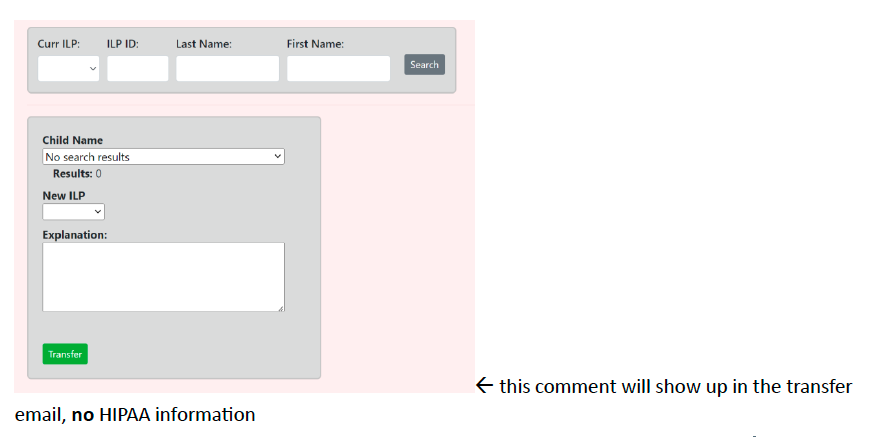
- Fax records to new ILP which include Functional Eval, IFSP, Plan of Care and consults. In the comment section It will state To: MSU ILP, Incoming Transfer from PIC.
OCS Transfer
Under the OCS–ILP MOA Guidance (April 2025), children in OCS custody who are either currently enrolled in ILP or are in the referral process do not require a Release of Information (ROI) to be transferred to another ILP within the State of Alaska. Their records may be shared directly with the receiving ILP.
Additionally, information and documents related to a child in state custody can be released to parents or foster parents without an ROI.
Important considerations:
- If parental rights have been terminated, OCS must provide an ROI for the biological family before any information can be released to that individual, as they no longer have legal access to the child’s records.
In most cases, parents retain their rights while their child is in state custody, and termination of rights is relatively rare.
Provider Responsibilities:
- Confirm with the caseworker the child is changing placement and OCS would like services to be transferred. (Do not transfer until child relocates in order continue services as long as possible)
- Email Change of Placement form form to the caseworker or the Placement Search and Support Unit (PSSU) for updated placement information:
- 1-855-603-8637, Option 2
- fcs.ocs.pssu@alaska.gov
- Assure all data entry is completed and enter a discharge note in Raintree.
- For children not enrolled in ILP/still in referral: enter a note in the communication log and choose the Category Exit/LTFU/Decline.
- Email Change of Placement form: "please transfer (enter child name) to (enter new ILP). Family or child relocated to (enter City) on (enter date)" and advise if the discharge note is completed.
Admin Responsibilities
- Confirm in Raintree discharge note is completed, and then change the status to Exit or Decline which ever applies.
- Enter data in the State Data Base: Evaluations, IFSP, Outcome etc.
- Update contact information in both systems if needed. (The contact information in the State DB should be updated to the new placement, so the new ILP knows who to contact).
- Enter a note in both systems regarding the transfer and include important information such as additional contact info, OCS info or special instructions. (Example: Transfer services to MSU per PIC provider request. PIC records faxed to MSU ILP. Contact information is updated, the assigned caseworker is _ and their information is _. Please contact parent/guardian to resume services.)
- Complete the Transfer in State DB
- Enrolled Children - Click on IFSP/Enroll tab, click green plus sign next to Enrollment, Record Type is transfer, choose ILP and save.
- Non Enrolled – Click on Amin, then Transfer Unenrolled and complete the prompts.
- Fax records to new ILP which include Functional Eval, IFSP, Plan of Care and consults. In the comment section It will state To: MSU ILP, Incoming Transfer from PIC.
ILP Transfer Request Workflow
Early Intervention programs across Alaska often request transfers for children that may not be actively receiving services. When an agency receives a referral and a possible match is identified in the State DB, it will request if you would like to transfer this record to your agency. When an agency clicks 'yes' it will send a notification via email to the current assigned ILP requesting a transfer. At that time, the recieving agency has 24 hours to transfer those records.
- Agency will receive a request from the State DB via email.
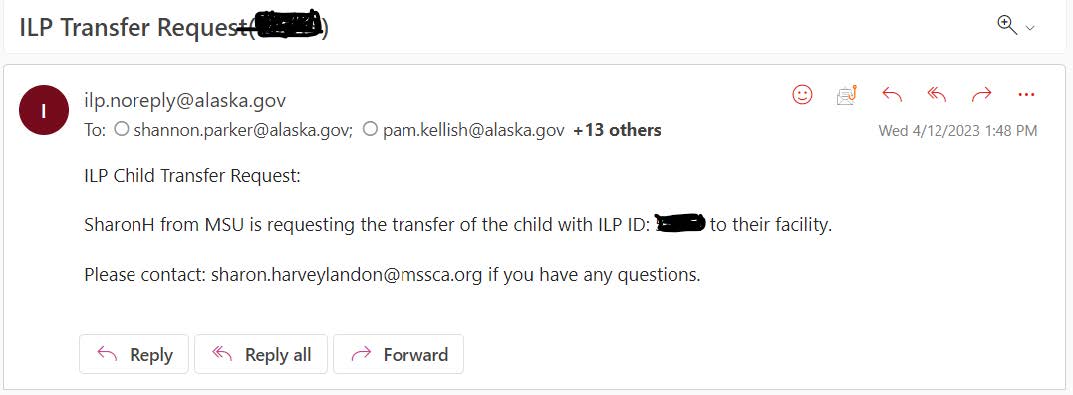
- Look up the ILP ID number in the State DB and in Raintree. (Make sure the ILP ID matches the information in Raintree)
- For in-process children (pending or undetermined): Send an email out to anyone associated with the child in RT (Referral Specialist, PSP, team manager) to update RT with any/all information so transfer can take place within 24 hours of request
- Enter a note in Raintree stating the following: Transfer completed per MSU ILP request.
- Complete the Transfer in State DB
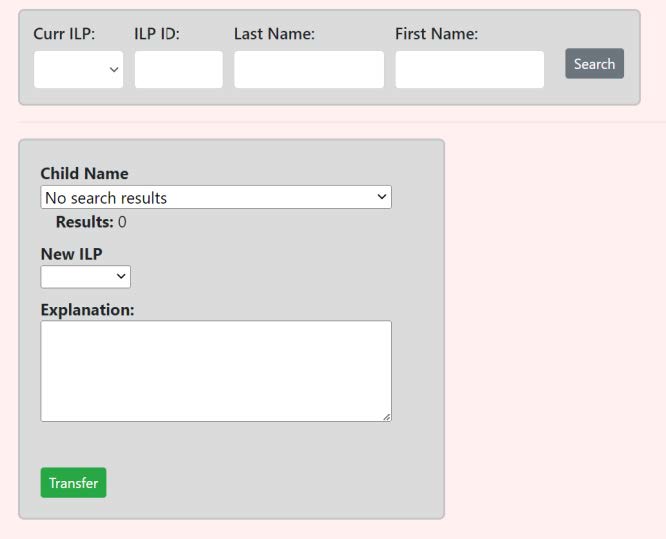
- Non Enrolled – Click on Amin, then Transfer Unenrolled and complete the prompts.
- In the Explanation box enter: Transfer per MSU ILP request.
Incoming Transfer Workflow
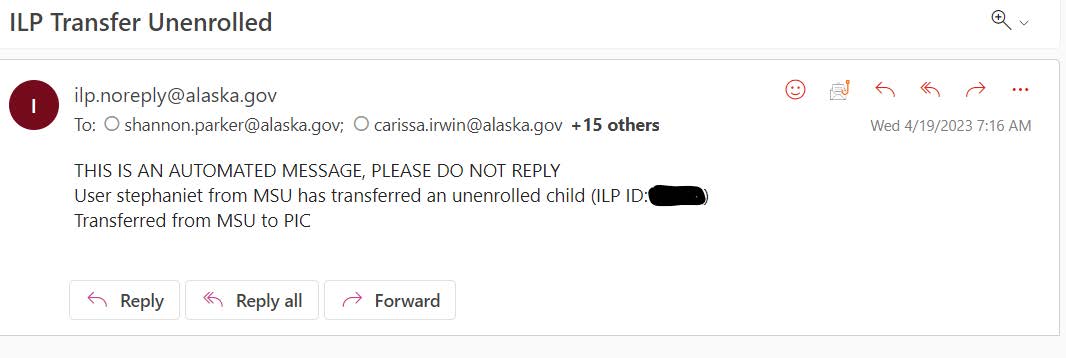
- PIC will receive an incoming transfer by email and sometimes fax.
Rose's Responsibility
- Process the transfer by following referral guidelines.