
Last Updated
Procedure
A Shared Vision Services: Requests for Service, Tracking, Documents and Billing
PIC providers request services using the PIC Sharepoint form "Vision Services Request Form": Vision Request Form for Providers
PIC providers must secure an ROI for each family with whom they are involved.
PIC assures that A Shared Vision (Paula and Steve) will have access to the Excel spreadsheet that collates the information from the Request for Vision Services form, as it is received, and is located at: Vision Services Requests Made (Excel)
Providers will upload and store documents to client files.
Admin DE will then ensure that the Vision visits are manually input in the State Database as part of data entry when documentation is received.
A Shared Vision will:
- Respond to requests for services with the provider who initiates the request within 3 business days of date of request
- Document eval/visit notes and send via encrypted email to the PIC provider and admin@picak.org within 3 business days of date of service
- Email invoices to swinslow@picak.org, Stacy Winslow Finance Manager
- **Background Check for contractors: none needed as the providers are online and engaged at PIC’s request with PIC present.
Link to Vision Services Request Form
Admin How to-Vision Services
- Admin will receive an email when a new request for vision services is submitted with a link to the spreadsheet, so you know what child the request is for. The provider making the request is also included on the email.
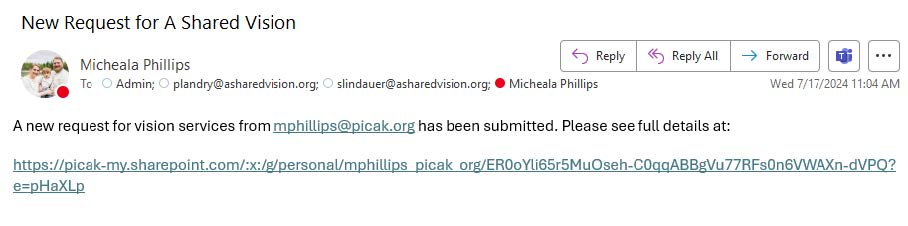
Link here: https://picak-my.sharepoint.com/:x:/g/personal/mphillips_picak_org/ER0oYli65r5MuOseh-C0qqABBgVu77RFs0n6VWAXn-dVPQ?e=pHaXLp- The records to be sent to A Shared Vision are based on what’s available, but look for the following available records:
- Eye reports from Ophthalmology and/or Optometrist
- Neuro reports
- IFSP
- Functional Vision Evaluation
- session notes from any previous TVI
- The records to be sent to A Shared Vision are based on what’s available, but look for the following available records:
- Review the child’s chart in RT. Start by confirming we have a signed ROI for A Shared Vision and any outside eye records needed (usually AK Children’s Eye and Strabismus) by the family.
- If ROI is unsigned, follow up with parent to ensure we can request records/ they are onboard with TVI services.
- If ROIs additional vision records are signed by the family, but:
- unsent to outside provider, send ROI via fax and create task to follow up on status of records after 1 week.
- Sent but no records have been received after 1 week, call to follow up on requested records. *Don’t forget to make a comm log note/comment in existing task.
- Check referral/medical records for any information pertaining to retinal screenings, vision, eye, etc.
- Send records via RT email to Referral source NP037 for Paula or NP038 for Steven password to be set by each of them but will stay the same for every child with the ROI and including all available records. Remember to clear filter first to find ROI and other records, but IFSP is under VISITS Remember you have to click “Send Document(s)” rather than just F10.
- Be sure to include the email subject line: [kid’s initials] records and the following comment (save as a sticky, but adjust as appropriate):
Hi Paula,
Here are the records we have available for KID'S NAME.
+/- We are still awaiting the records from [AK Childrens Eye and Strabismus], but once we have received those, we'll pass them along as well.
Please call with any questions.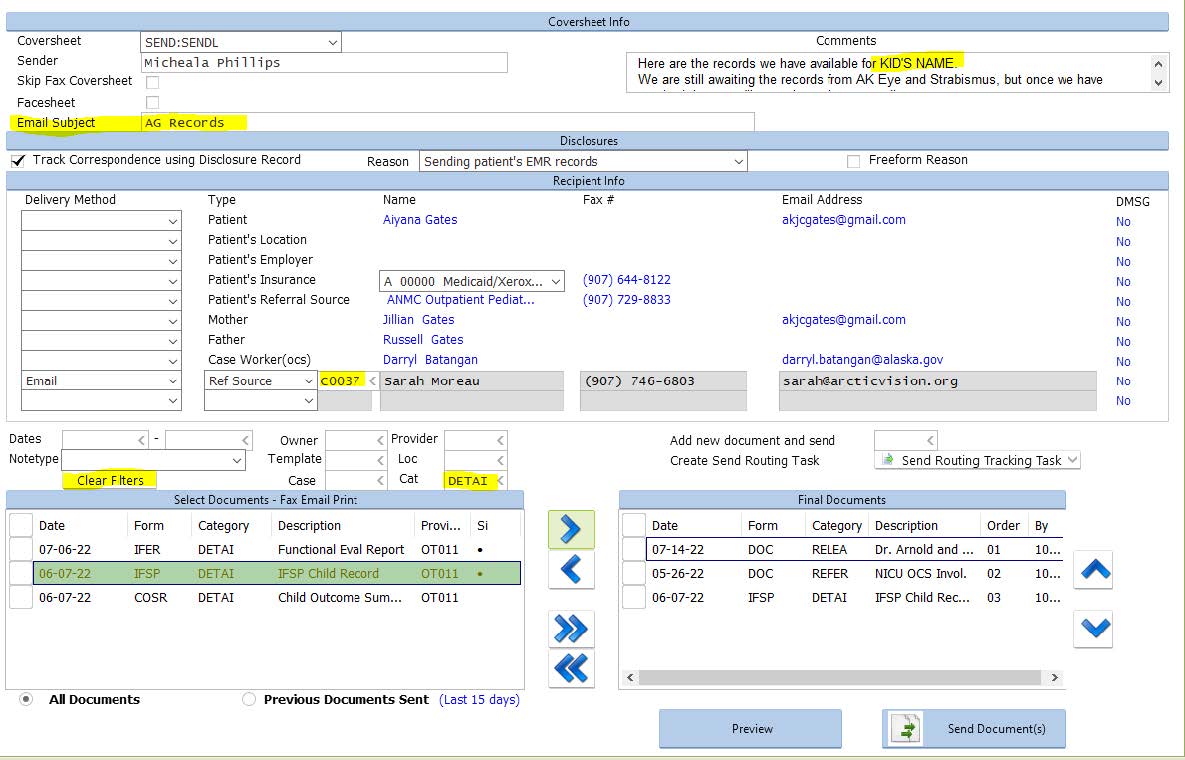
- Be sure to include the email subject line: [kid’s initials] records and the following comment (save as a sticky, but adjust as appropriate):
- Reply all to the admin email, to let them know records have been sent via RT or if we’re still waiting on the ROI to send any/additional records
If we get an IFSP with Vision Services Initiated on it (or continued) we need to send a copy to A Shared Vision every time.
This is to keep them updated on start dates and frequency.
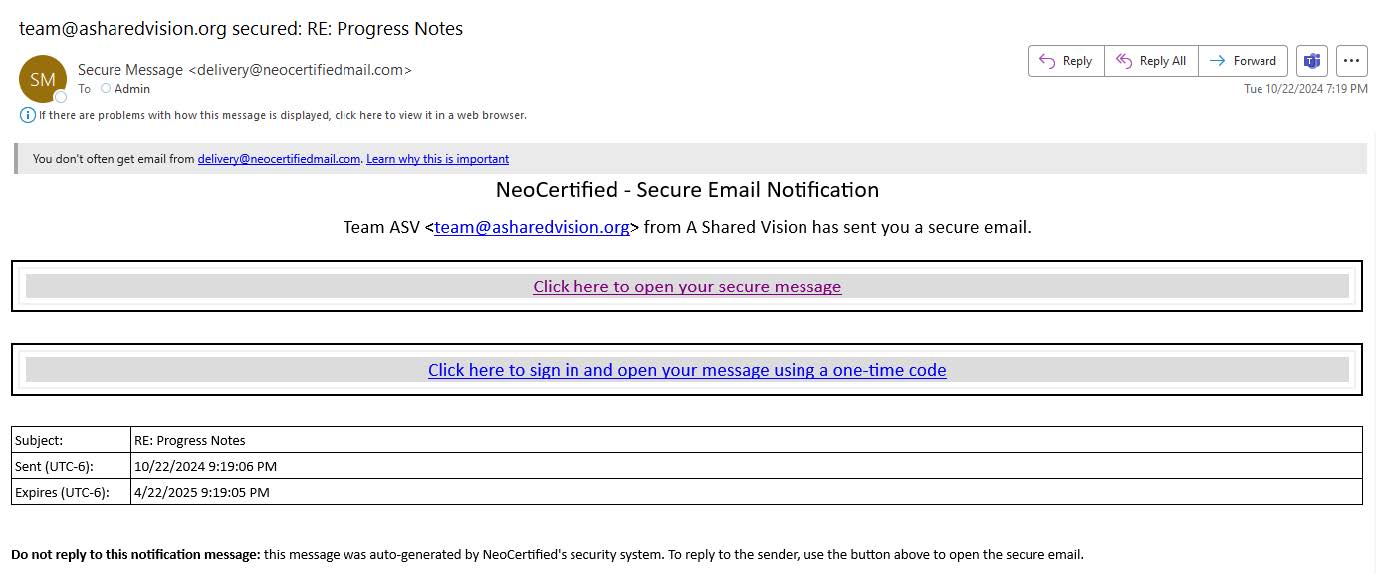
Receiving Vision Documentation- Documentation is sent from team@asharedvision.org via a secured email system called “NeoCertified” that looks like this:
- Website: https://med1.neocertifiedmail.com The username is: admin@picak.org password: r3EfOH*jluDo75qt Once logged in the inbox looks like this:
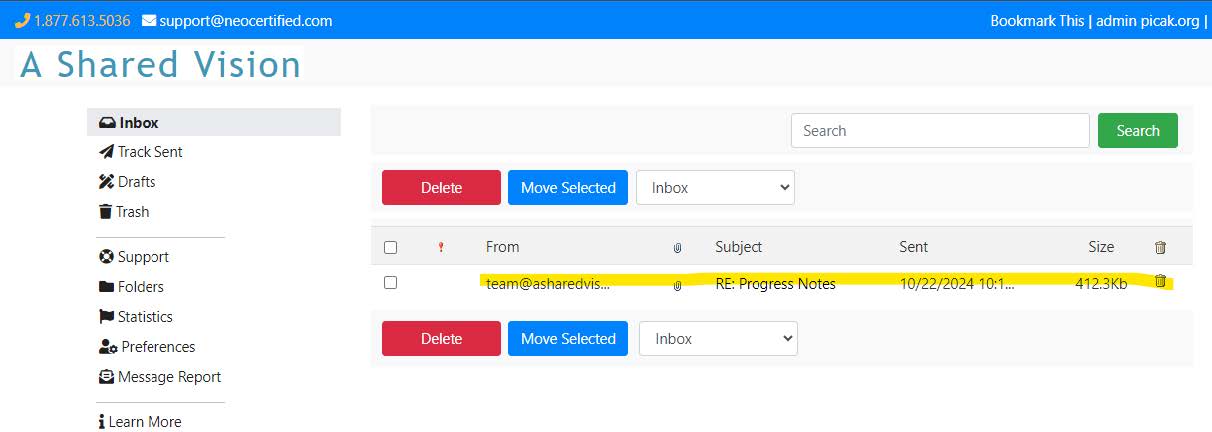
Click on the most recent email - Download the visit notes by clicking on the attachments at the bottom of the email
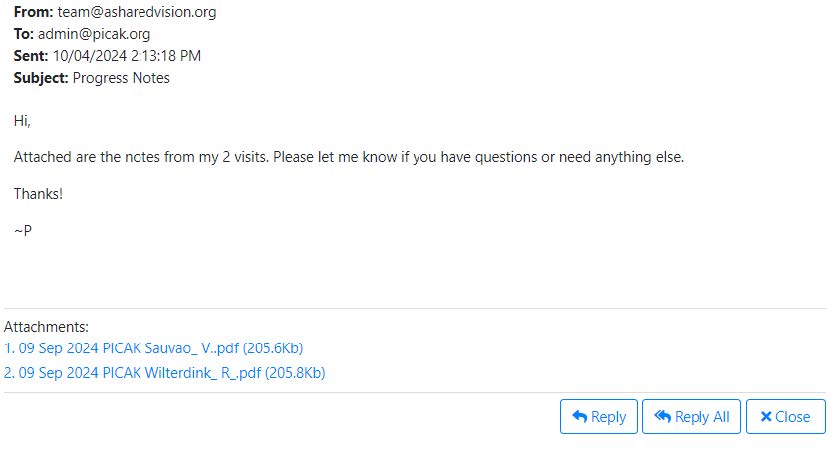
- Upload documentation to the child’s chart for the date of service, as “Outside Consultation” with freeform description “mm/dd/yy A Shared Vision Visit”
- Send a “Medical History” task to the PIC provider, letting them know documentation has been received from A Shared Vision
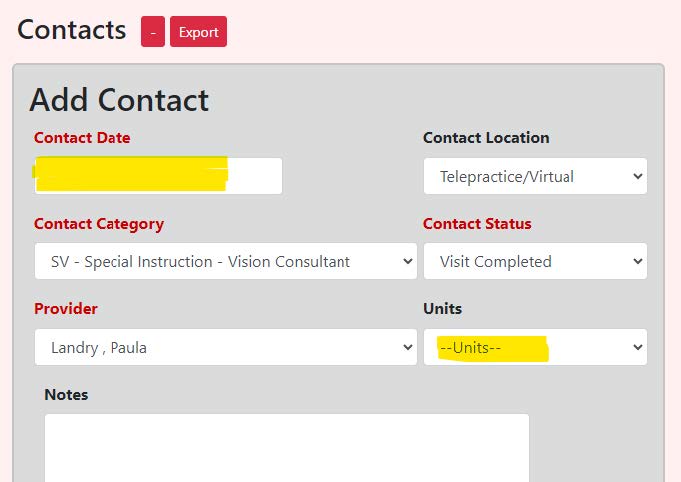
- In the State Database, go to the child’s Contact tab and add a new contact as shown below with the correct Date of service as the contact date and Units (15 mins = 1 unit):
- Documentation is sent from team@asharedvision.org via a secured email system called “NeoCertified” that looks like this: