
Vision screenings help catch eye conditions early—often before symptoms appear—so timely treatment can protect vision, support learning, and improve overall health outcomes. They also allow PIC providers to connect individuals to comprehensive eye care and educate families about maintaining lifelong eye health.
The Colorado Shared Vision Parent Questionnaire is completed at intake or evaluation and entered into the record no later than the evaluation. This screening tool is designed for children ages 0–3 (birth to three). Minimally, the screener is completed with the family sometime between intake and evaluation. Screening results may lead to referral to ophthalmology or to PIC's vision contractor, A Shared Vision, for diagnosis-specific treatment recommendations with parent approval.
The Plusoptix vision screener is designed for children 5 months and older and is not appropriate for children under that age.
Medical records may indicate that the child is already being followed by ophthalmology. Any of the above may be documented in the child's record for the purpose of screening requirements.
1. Prior to intake or evaluation:
- Review child record, and if there is a record of screening or opthalmologist involvement indicate in the Pediatric Medical History.
2. At intake or evaluation:
If there is no documented screening or opthalmology involvment complete screening at intake or evaluation and document in the Pediatric Medical History with either:
- Colorado Vision Screening protocol (appropriate for birth to three)
- The Plusoptix vision screener (appropriate 5 months and older)
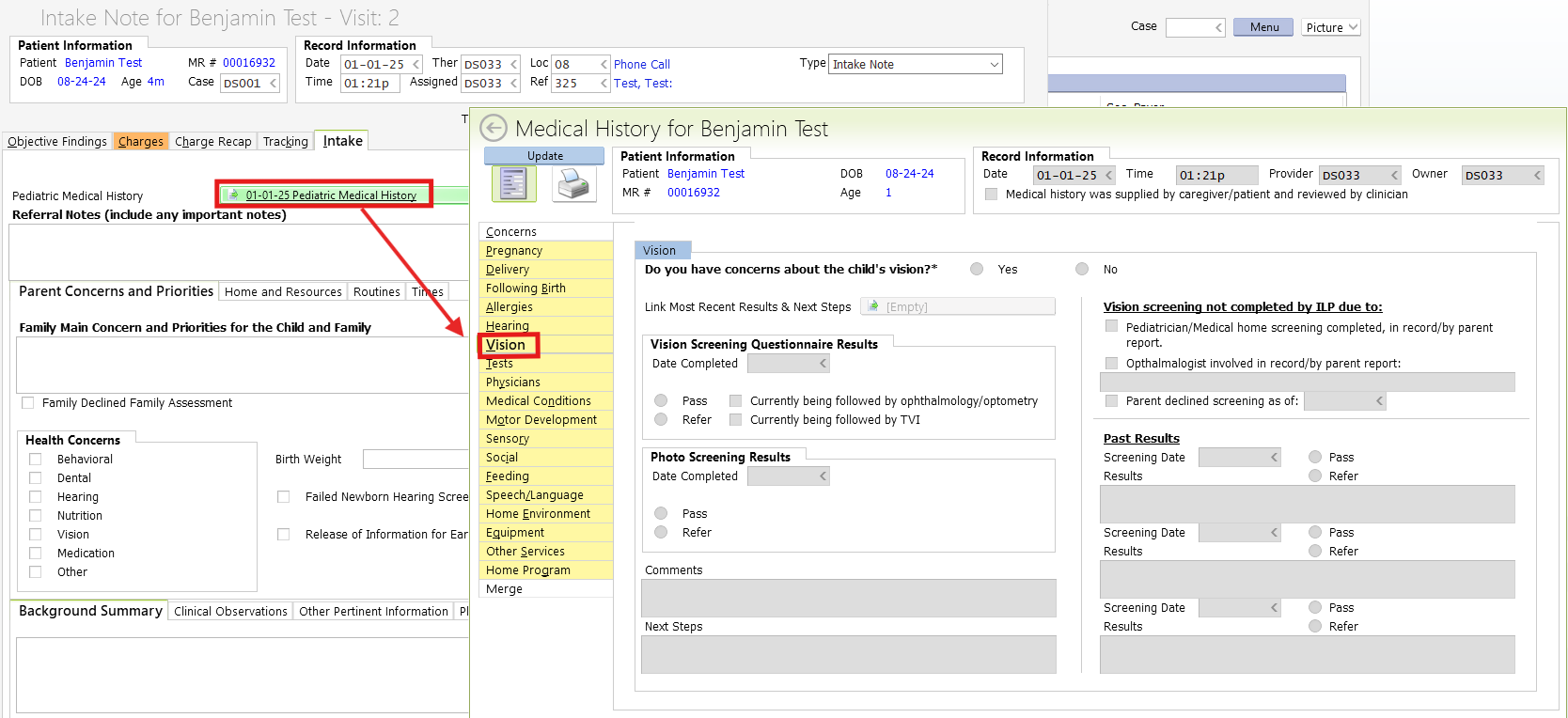
Provider Documentation -- Initial Questionnaire Screening
By Intake → If the Vision tab of the Pediatric Medical History is NOT completed in Intake, providers will receive a reminder task to update Vision tab after Intake.
By Evaluation → Report Vision Screening/Questionairre in the child's Pedicatric Medical History as indicated above.
3. Documentation for Visual Observation or Photo screener
– If outside 2-month consent window, obtain new PWN & Consent.
– Provider completes Screening Note and reports results in Pediatric Medical History/Vision tab.
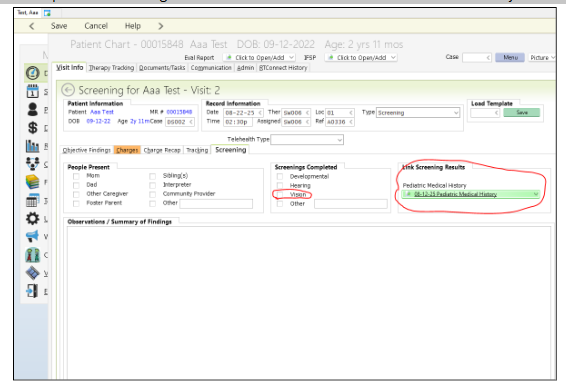
Admin Procedure
We do not require a copy of the questionnaire results, just the results of the report in the pediatric medical history. There needs to be something filled out in one of the sections (labeled A-D in the example below).
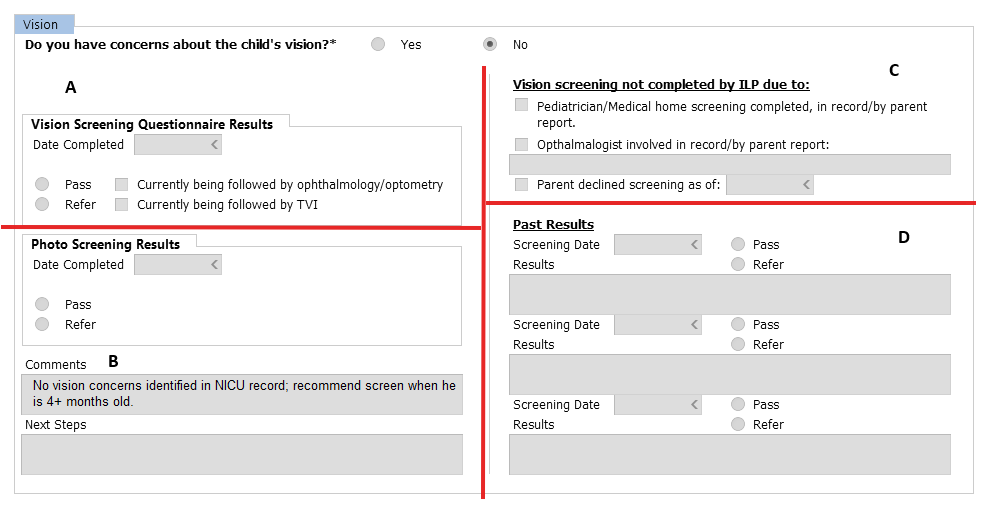
The pediatric medical history linked to the Intake stays what it was at the time the note was signed. Go to the Therapy Tracking tab in the child's chart to find the most updated version of the pediatric medical history.

When to send a task to the provider?
Admin only needs to send a task to the provider IF there is nothing under the Vision tab of the Pediatric Medical History at Intake.
Provider Shortcuts
- Refer Clients to A Shared Vision Services
A Shared Vision SharePoint form
- Detailed Referral Instructions:
A Shared Vision Services & PIC Processes - Vision Development Handouts