Transition Conference/90 Day Meeting
This meeting finalizes the plans for the last steps of transition. It is held by PIC staff with the family, and a representative of the program the family is interested in transitioning to. By this time, the family will likely have a decision about placement options they want to pursue. Possibilities include; preschool, ASD preschool, Head Start, private therapy. Any representatives for placement can be invited, with parent permission. If the family is interested in ASD services, we must invite ASD and complete the Invitation and Briefing Process for ASD so that they initiate their application process and we are meeting our compliance requirements. If the child is to be evaluated by ASD, it provides an opportunity for ASD staff to meet the family, begin building rapport, explain ASD processes and program options.
This is an IFSP meeting.
Agenda for Transition Conference:
- Staff introduces the family/child to participants.
- Family shares strengths/concerns.
- Team reviews information; determines what is still needed and plan for further evaluations, assessments, applications, releases of information, or updating contact information.
- Answer questions regarding what is next in the process and range of options
If the family chooses ASD, the family will be contacted with evaluation dates. ASD must be invited to the meeting. Invitation must go out to ASD. Discuss transportation if needed to evaluations and eligibility.
IMPORTANT caveat: Initial IFSP and Transition Conference cannot co-occur if the family wants ASD eligibility determined.
Logistics:
- This meeting is PIC staff responsibility.
- This can be held up to 9 months but no later than 90days prior to the child’s 3rd birthday.
- Meeting may be co-facilitated by PIC and ASD or other placement staff.
- At this meeting, ASD will follow up with the family to schedule the dates for the evaluation, and eligibility meetings.
- In your RT Scheduler, select “IFSP” Appointment Type and enter in the appt details.
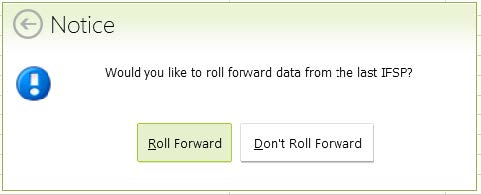
- Select Roll Forward:
- If the Transition Plan and the Transition Conference are completed at the same meeting, start by entering the Transition Plan Date in ‘Transition Plan and Conference’ tab. The Due Dates will auto populate for you.
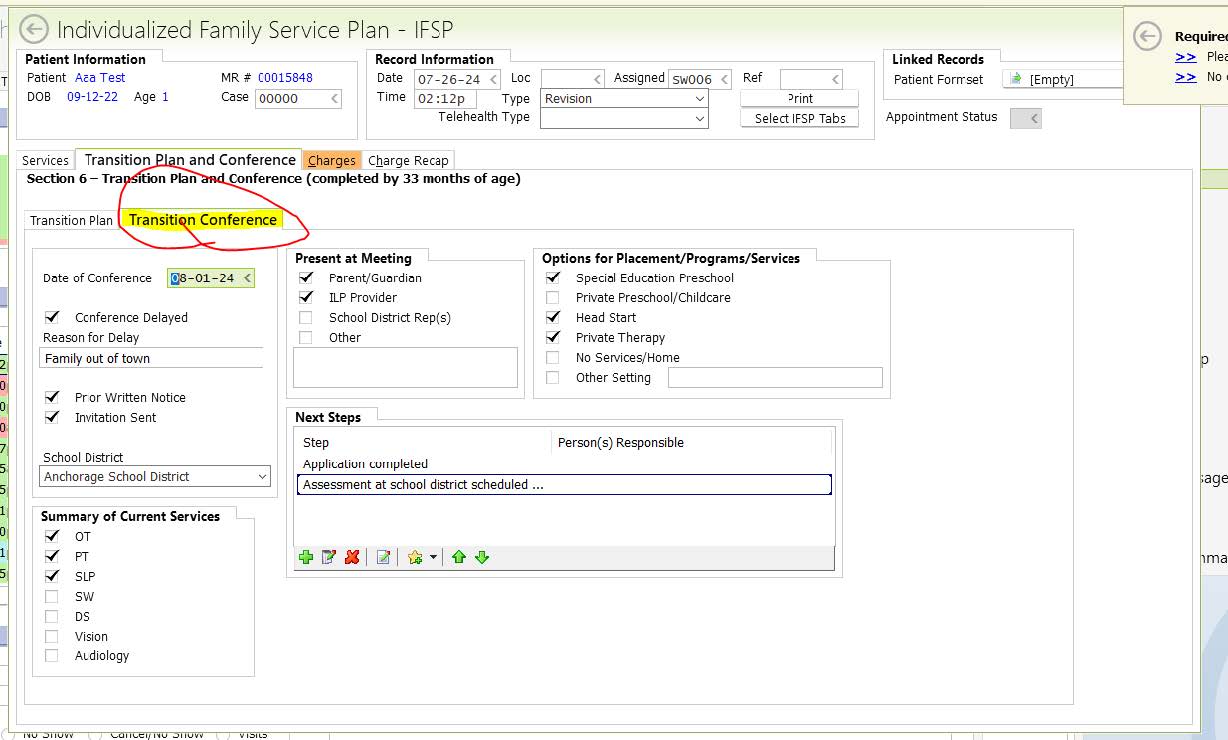
There is a separate tab for the Transition Conference, please click on the Conference tab if this also was completed.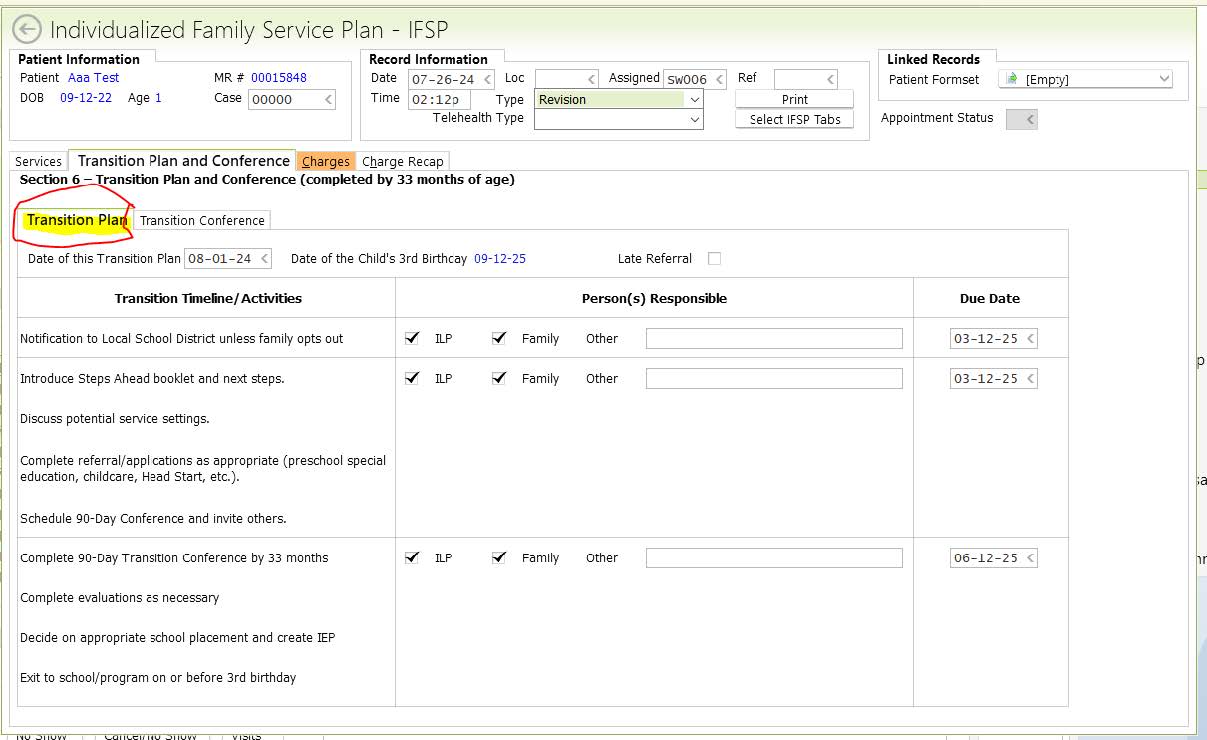
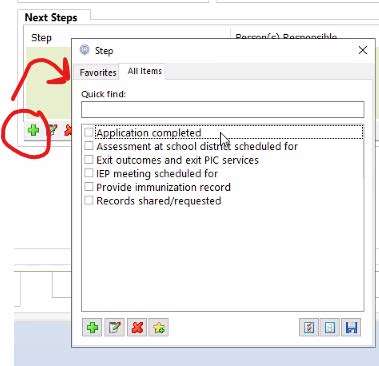
- For the Transition Conference, go to the 2nd sub-tab and fill out the date, as well as all the other appropriate information, as shown below. If the Transition Conference was delayed, be sure to enter the reason for the delay. To add Next Steps, click on the green plus
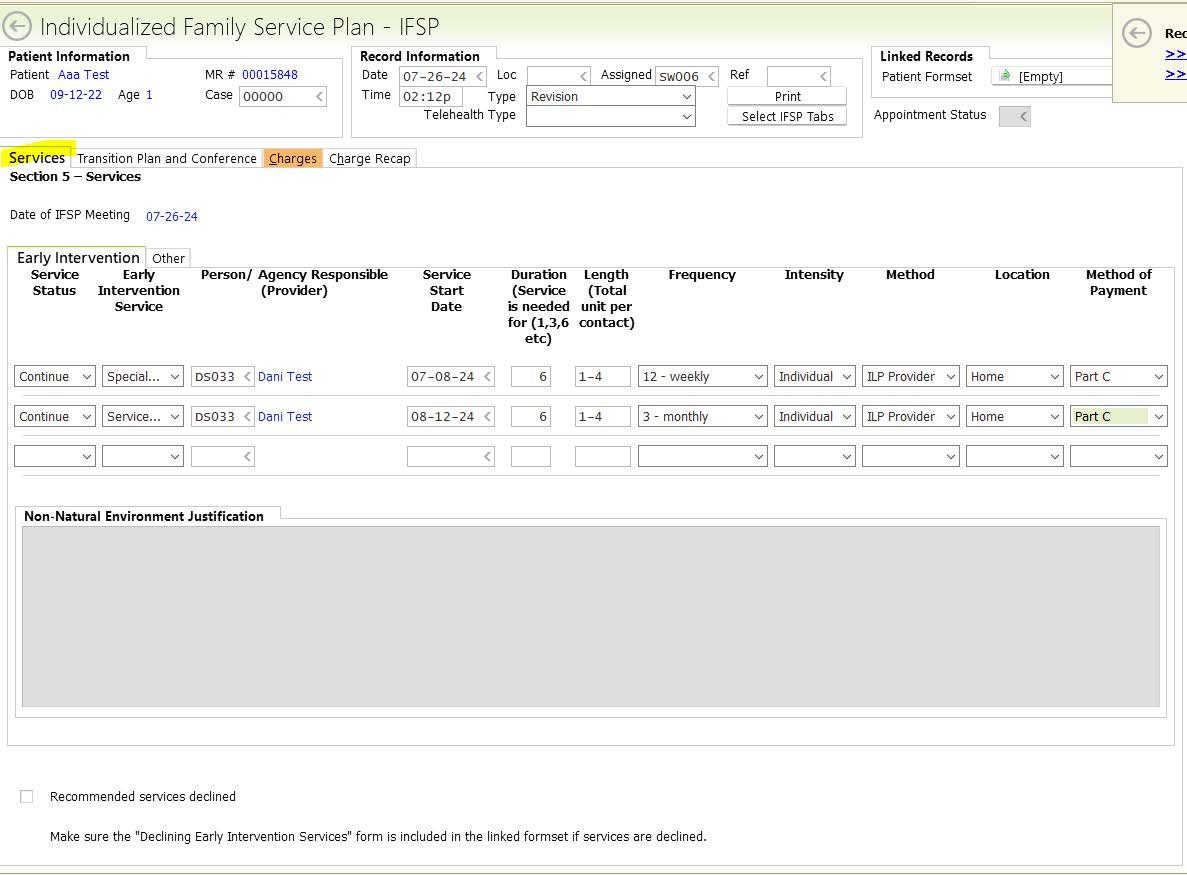
- Update the Services that the family will receive from PIC in the ‘Services’ tab. Since this is a revision, the services will be “Continued”
- In the Charges tab, if you completed Transition Plan at this meeting enter in the IFSP begin/Time in and end/Time out clock times for IFSP Development. Enter clock times for Transition Conference if completed.
Diagnosis will automatically pull from your RT Case.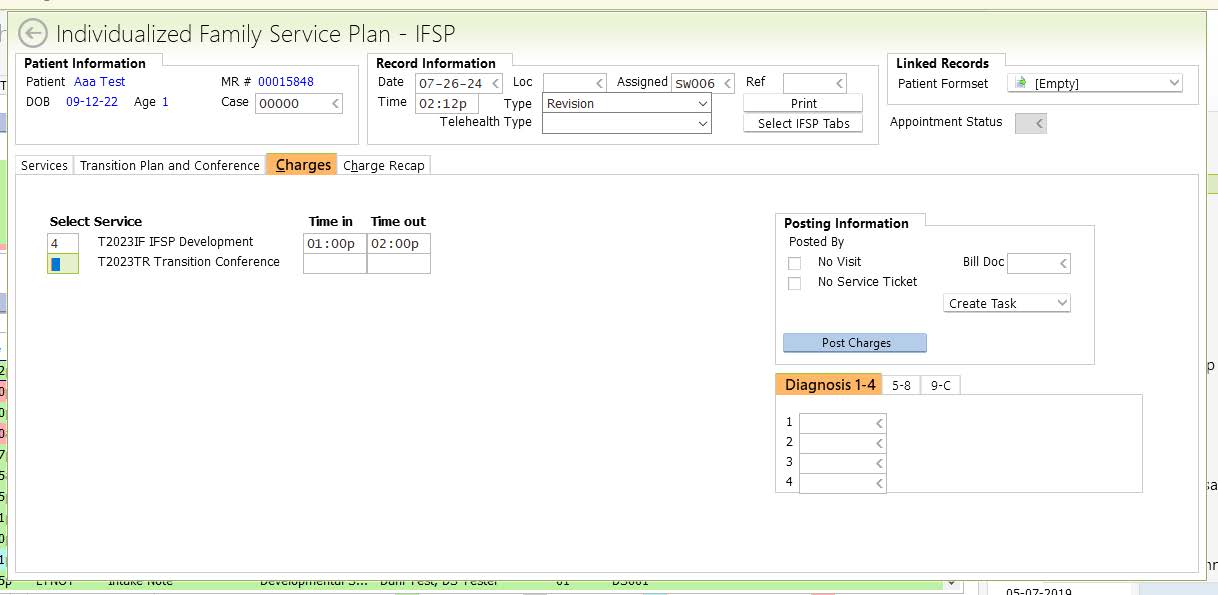
- Linked Records – Patient Form set: If you already created and sent the IFSP Packet to the parent, click on the (Empty) bar and add them to this IFSP. If you haven’t sent this, use the Empty bar to add a IFSP Signature Packet, then save it so that it Links to this IFSP:

- As long as all information is entered in and you have created all of the family’s long term goal and linked the IFSP Packet, please save and sign off the IFSP!
- The last step that is separate from the IFSP create a Plan of Care for the Primary Physician – all goals you create in the IFSP will appear in your POC. Create and sign off your POC as you normally would.
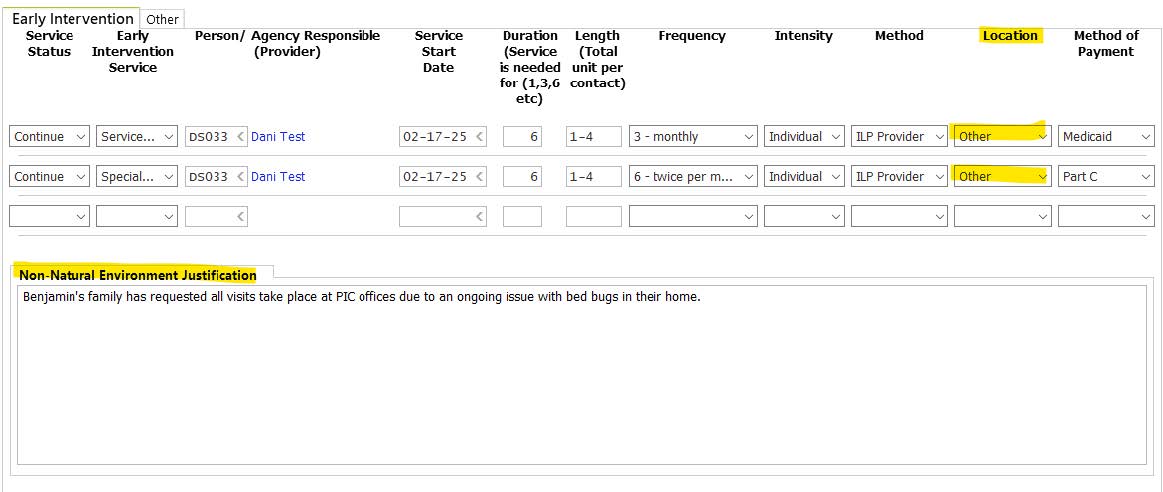
Note: Selecting a non-natural environment is usually rare, however there’s a section in the IFSP you must complete when ‘Other’ is selected as the Location for services.
Non-Natural Environment Location Justification: When you choose “Other” for the Location that services will be held, you must complete this section. Please note why the child is receiving services in a non-natural environment.