Prior to children turning 3, there are several transition activities that early intervention staff initiate or participate in. The goal of these activities is to ensure a smooth transition for the child and family, from Part C Early Intervention to their next setting. Children can discharge to community service providers, their home or to Anchorage School District (ASD) which is the Part B service provider for special education services, for children age 3 - 21. Children must be discharged from ILP by age 3.
Source: https://www.ecfr.gov/current/title-34/subtitle-B/chapter-III/part-303/
| Activity | Due Date |
|---|---|
Notification Referral to ASD/Opt Out of Referral to School District Letter Official notification to ASD of a child with special educational needs occurs no earlier than 27 months and no later than 30 months. However, if upon enrollment a child is 30 months or older, opt out is presented to the parents during enrollment. PIC administration sends demographic information to ASD of enrolled children age 30 months or older, unless parents have signed an ‘Opt Out letter’ at the time of enrollment. This discussion usually happens during a home visit; document discussion in the Daily Note- Subjective section. Record date in Transition Plan. The school district will send procedural safeguards to all families. ***IMPORTANT: children enrolled at 30 – 33 months are at risk of missing ASD notification. Be sure to let Admin know at the time IFSP is completed that the child is headed to school district, or not! | Between 27 and 30 months |
Transition Plan: This is an IFSP meeting Early Intervention program requirement. Begin talking to parents about transition process and options. The Primary Service Provider discusses options the family is considering such as Head Start, community child care providers or preschools, community therapies and/or Anchorage School Disctrict services. If parents choose to have their child go through ASD evaluation for services, go to the link below for instructions. Set a Transition Conference appointment with Melissa Kelley at ASD who attends 90-day meetings by contacting her at 907-742-1376. For more complex evaluation situations that may require the ASD evaluation team -- go through the link here to set appts: | 27-30 months |
Transition Conference/90 day meeting: This is an IFSP meeting This is an Early Intervention program requirement. Official transition conference with parents, to set final transition steps. Typically held at the family’s home or online with ASD staff present. ASD staff meets child and family, gathers information, sets times for evaluation and IEP mtg., explains program options for qualifying children. Send an invitation to the school district to the transition meeting. | 33 months |
| Transition Conference IFSP Instructions | |
ASD Evaluation, Eligibility and IEP meetings These are school district requirements. Child evaluation is typically held at ASD building by ASD staff. ASD evaluates for areas of concern. PIC evaluations are referenced by ASD in their evaluation report. Parents complete a health history; children complete hearing and vision screening at ASD as a part of this meeting. *Following evaluation, a meeting is held to review findings, determine qualification for special education services. Typically an IEP is completed and placement determined at the same meeting, with parent consent. | Prior to 3rd birthday |
Transition Activities Activities to help the child and family become familiar with new settings, not required by IDEA. Can be done throughout the transition process. If a child is enrolling in ASD, a classroom visit could be scheduled prior to entry. | Prior to school entry |
PIC begins explaining the transition process and next placement options to parents when the child is no later than 30 months old. If a child is enrolled after 30 months, this event will be completed at the time of enrollment or shortly after.
Agenda for Transition Planning Meeting:
- Explain that PIC services must end at child’s 3rd birthday. Explain transition timelines.
- Explore options for placement services and families priorities.
- If a family chooses to transition to other services at age three, have the family complete the necessary ROIs.
- Families who choose ASD evaluation (see instructions for ASD here at Invitation and Briefing Process for ASD)
Logistics:
- Schedule appointment as IFSP in the scheduler
- Review Family Rights
- Explain transition process using the Steps Ahead Transition booklet. This booklet is an important guide as it explains the transition process in detail
- Obtain releases for programs or services parents are interested in pursuing
- Support family in completing appropriate paperwork for programs
For Setting Up IFSP Appt in RainTree:
- In the RainTree Scheduler, select “IFSP” Appointment Type and enter in the appointment details.
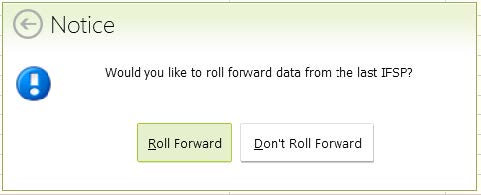
- Select Roll Forward
- When the Transition Plan needs to be completed, start by entering the Transition Plan Date in ‘Transition Plan and Conference’ tab. Due Dates will auto populate.
There is a separate tab for the Transition Conference, click on the Conference tab if this also was completed.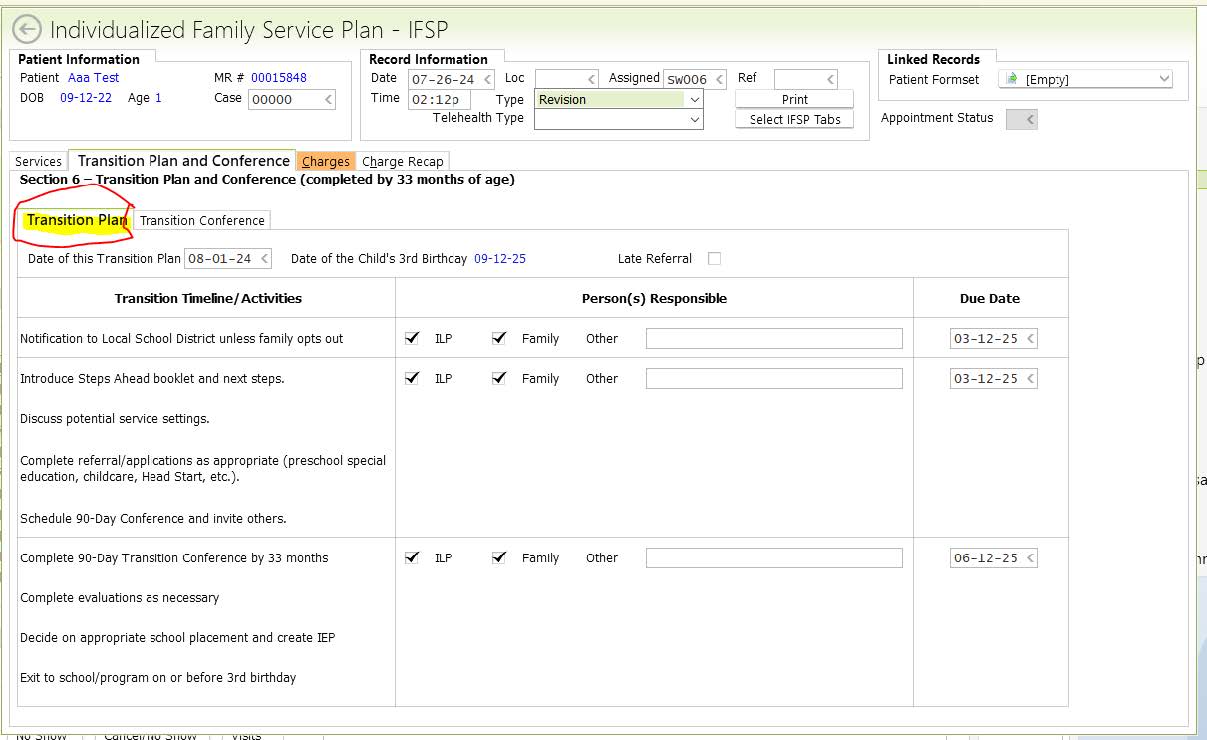
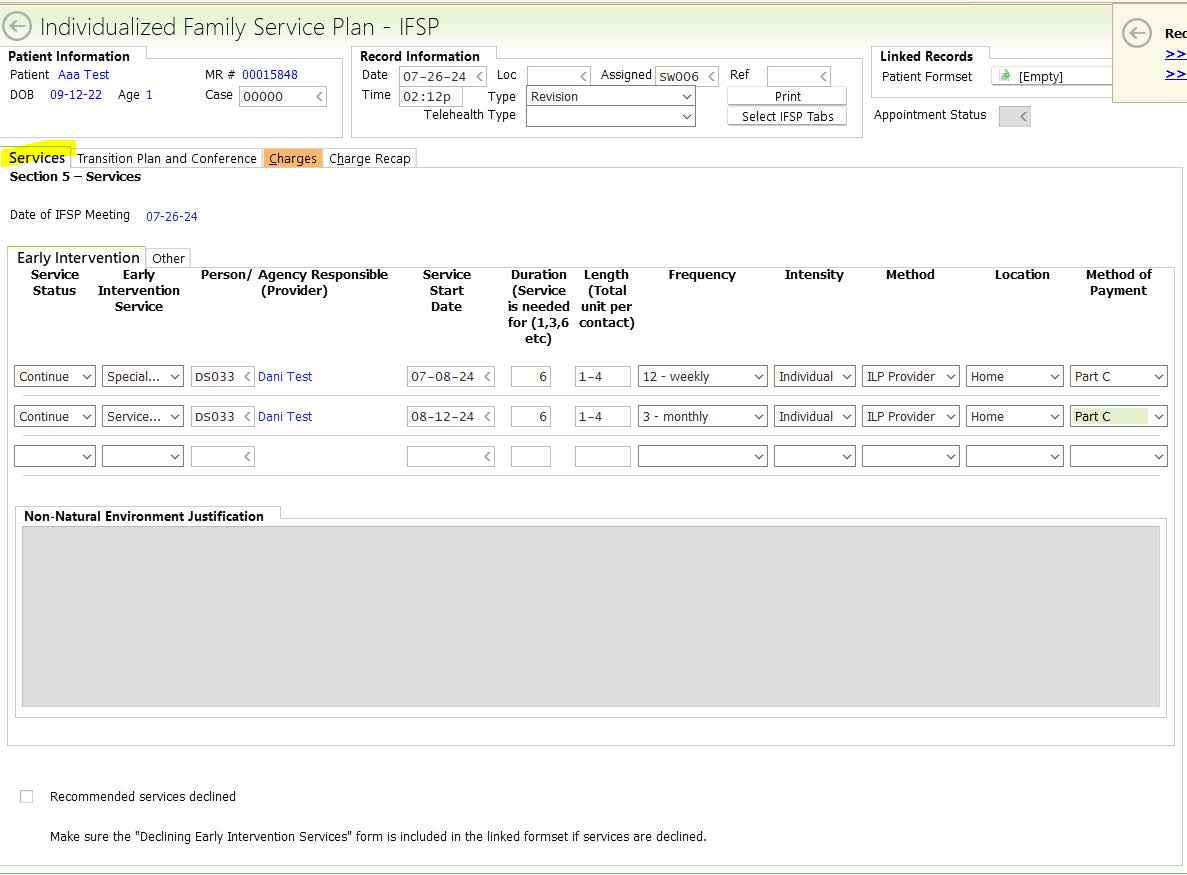
- Update the Services that the family will receive from PIC in the ‘Services’ tab. Since this is a revision, the services will be “Continued”.
- Charges tab: enter in the IFSP begin/Time in and end/Time out clock times for IFSP Development (if you also happened to complete the Transition Conference enter that time)
Diagnosis will automatically pull from the RainTree case.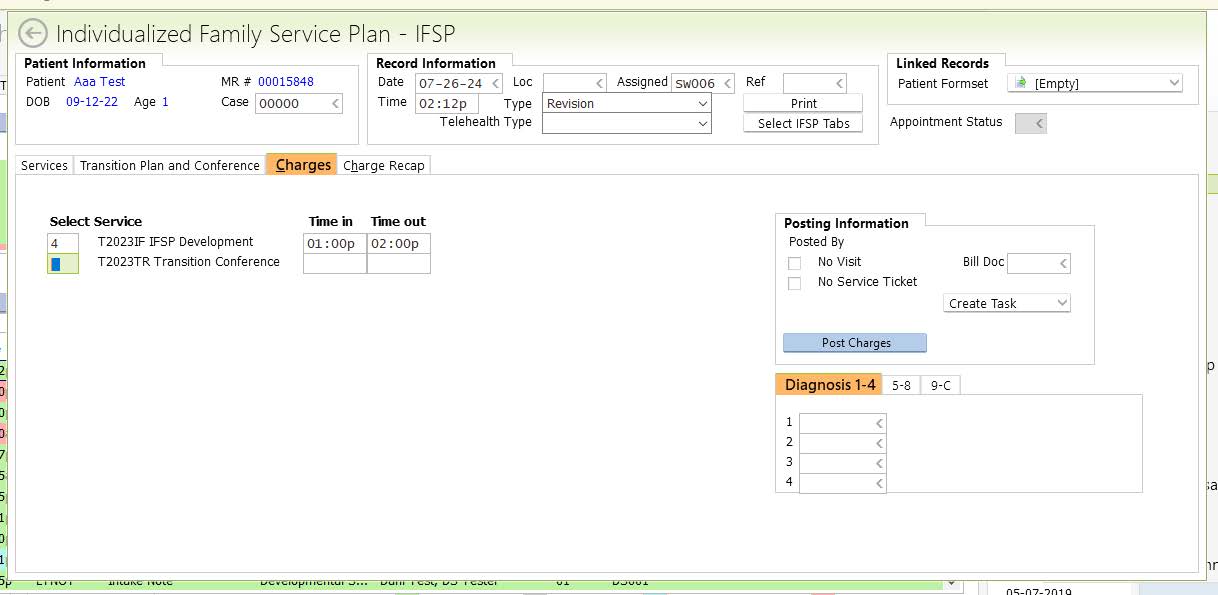
- Linked Records – Patient Formset: If the Signature Packet was already created and sent to the parent, click on the [Empty] bar and add the set to this IFSP. If it hasn’t been sent, use the [Empty] bar to add an IFSP Signature Packet, then F10 to save it so that it links to this IFSP:

- When all information is entered, the family’s long term goals have been written and the IFSP Packet has been linked, F10 to save and sign off the IFSP.
- The last step that is separate from the IFPS, is to create a Plan of Care for the primary physician – all goals created in the IFSP will appear in the POC. Create and sign off the POC.
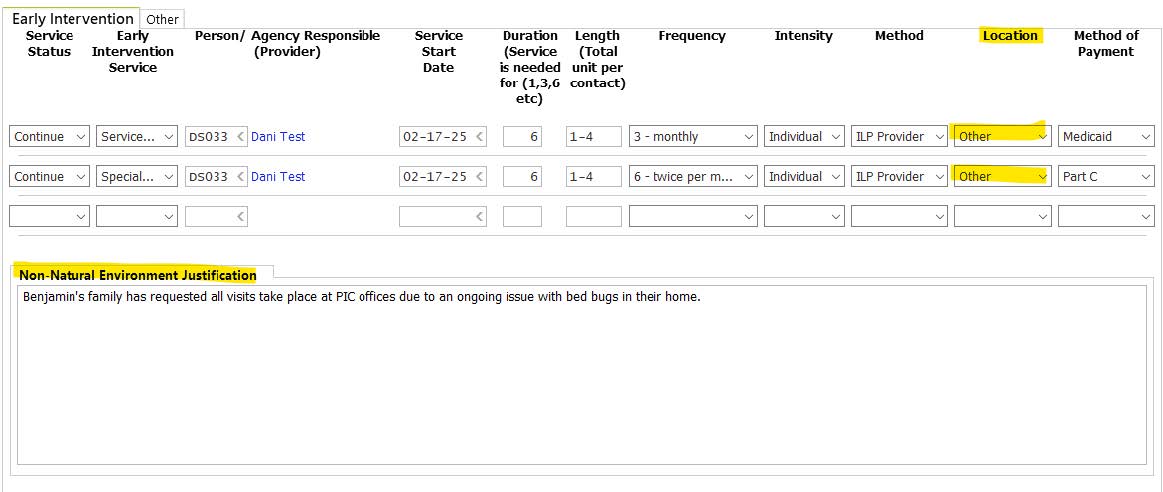
Note: Selecting a non-natural environment is rare, however, there’s a section in the IFSP that is required when ‘Other’ is selected as the Location for services. Non-Natural Environment Location Justification: Note why the child is receiving services in a non-natural environment.